Compare CSV Lists
A cleaner workflow for exported rows, structured fields, and multi-column source data
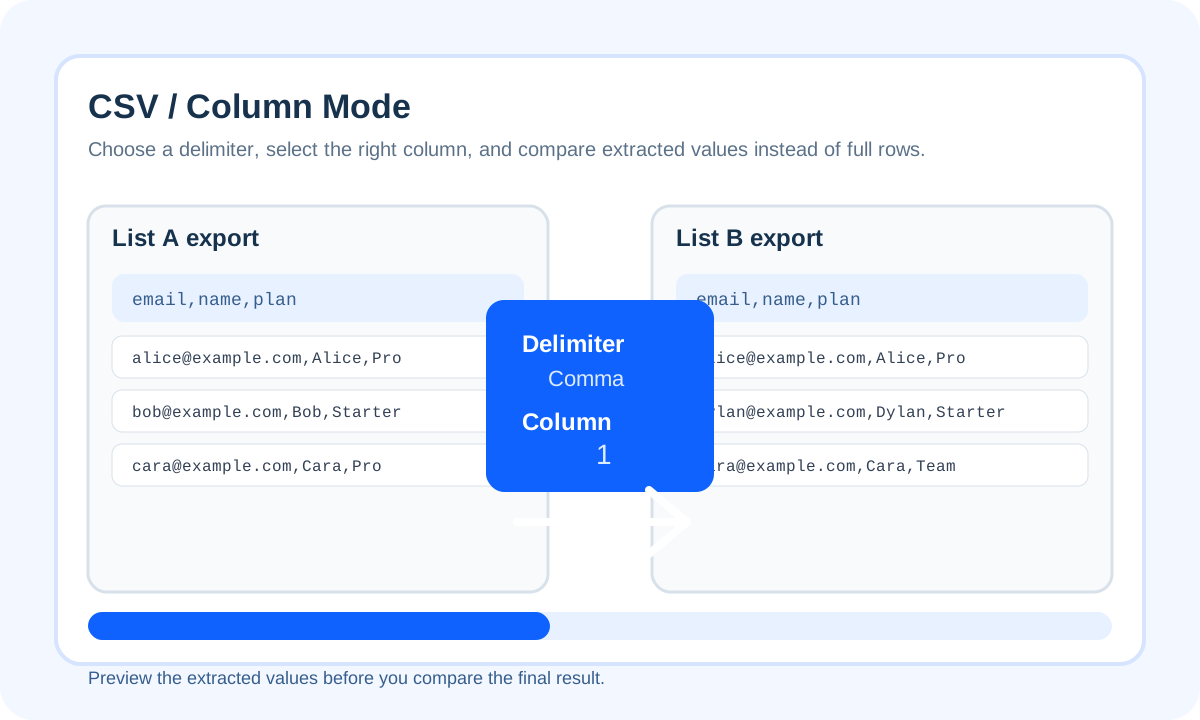
Comparing CSV lists is almost never about the whole row. In practice, you usually care about one column: email, SKU, order ID, tag, keyword, or customer ID. That is why a useful CSV comparison flow starts with column extraction instead of row-level chaos.
Why CSV comparison breaks when you compare raw rows
- Compare email columns, not whole CRM rows.
- Compare SKU or product IDs, not entire catalog exports.
- Compare keyword columns, not the whole report.
Use column mode instead of spreadsheet cleanup first
Best use cases for CSV list comparison
- CRM export versus ESP export
- Old inventory export versus new inventory export
- Vendor list versus internal master list
- Keyword report versus cleaned keyword set
Mistakes to avoid
- Verify column number before running the diff.
- Use the duplicate-aware option if repeated IDs matter.
- Normalize emails or IDs when formatting drift exists between exports.
| Workflow | Best for | Weak point |
|---|---|---|
| Compare Two Lists tool | Fast one-off export checks | Less suited to row-by-row spreadsheet annotation |
| Excel formulas | Workbook-native reconciliation | More setup before you get a clean answer |
| Python script | Recurring automated audits | Overkill for quick manual checks |
Practical rule: if you can describe the job as “compare the email column” or “compare the SKU column”, you should almost always extract that column before comparing.
Conclusion
CSV list comparison becomes much more useful once you stop treating the file as a blob and start comparing the exact field that drives the decision.
FAQ
Should I compare full CSV rows or one column?
One stable column is usually better. Full rows often include timestamps, notes, or ordering changes that create noisy mismatches.
What if each file uses a different column position?
That is exactly what column mode is for. Set a separate column number for list A and list B before you compare.
When should I use duplicate-aware mode for CSV data?
Use it when repeated values signal a real business condition, such as duplicate IDs, repeated subscribers, or repeated SKUs in exported data.