Compare Email Lists
A safer workflow for subscriber overlap, suppression audits, and CRM export checks
Email-list comparison sounds simple, but it has higher stakes than general list cleanup. A false difference can lead to the wrong suppression logic, duplicate sends, or messy CRM updates. The comparison itself is easy. The normalization rules are what matter.
When comparing email lists is useful
- Subscriber list versus suppression list
- Old CRM export versus new CRM export
- ESP segment versus internal master list
- Event list versus newsletter list
Normalize before you trust the result
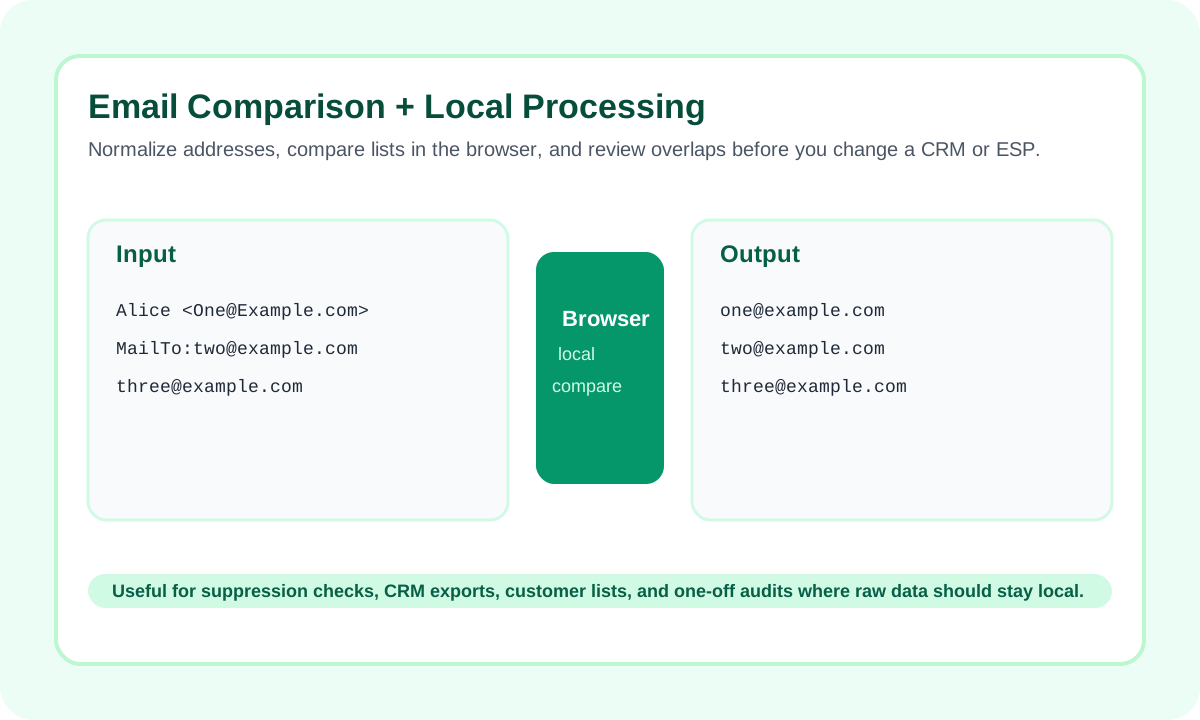
- Lowercase both lists.
- Trim spaces and remove blank rows.
- Do not assume all providers treat dots or plus-tags the same way.
- Keep the raw export untouched and compare a cleaned working copy.
How to use the outputs operationally
- Only in subscribers: addresses that may need import or re-checking.
- Only in suppressions: addresses excluded somewhere but absent from the active list.
- Common: overlap that should stay blocked or matched depending on the workflow.
Where teams get into trouble
- Do not overwrite the master list from one comparison run.
- Review a sample of mismatches before bulk action.
- Keep timestamps and export scope in mind when lists come from different systems.
When to stop using a simple tool
| Question | Use the tool | Use a system or script |
|---|---|---|
| Quick overlap / mismatch check | Yes | Optional later |
| Recurring nightly reconciliation | Not as the final layer | Yes |
| Sensitive one-off export audit | Yes | Only if needed after validation |
Important: use a comparison tool to validate decisions, not as a blind source of truth for destructive CRM updates.
Conclusion
Email list comparison is valuable because it catches overlap and mismatch quickly, but the right workflow is normalize carefully, compare, review the mismatches, and only then update downstream systems.
FAQ
Does local processing mean email data stays out of a backend workflow?
The core comparison runs in the browser, which is exactly why this project is useful for sensitive one-off audits before you touch a CRM or ESP.
Should I remove plus-tags or dots from email addresses?
Not by default. Lowercasing and trimming are usually safe. Provider-specific transformations should only happen if you are certain they match your operational rules.
Can this replace suppression logic in my email platform?
No. It is a validation layer, not a replacement for source-of-truth logic inside your ESP or CRM.